
Valet in a gist:
- In Valet, you create new commands that you can invoke with
valet my-command. - Each command has properties (a description, a list of arguments and options, and so on…).
- Each command has an associated bash function that is called when the command is invoked and which contains your logic.
- Commands are packaged in extensions that can easily be shared and downloaded by other Valet users.
- You define commands, their properties and functions in
.shfiles under an extension directory. - Valet takes care of building (indexing) the commands, which allows you to quickly find them, parse options, arguments, print their help, etc…
- In commands, you have access to hundreds of utility functions written in pure bash.
- You can extend these function libraries by creating your own and share them through an extension.
An interactive menu
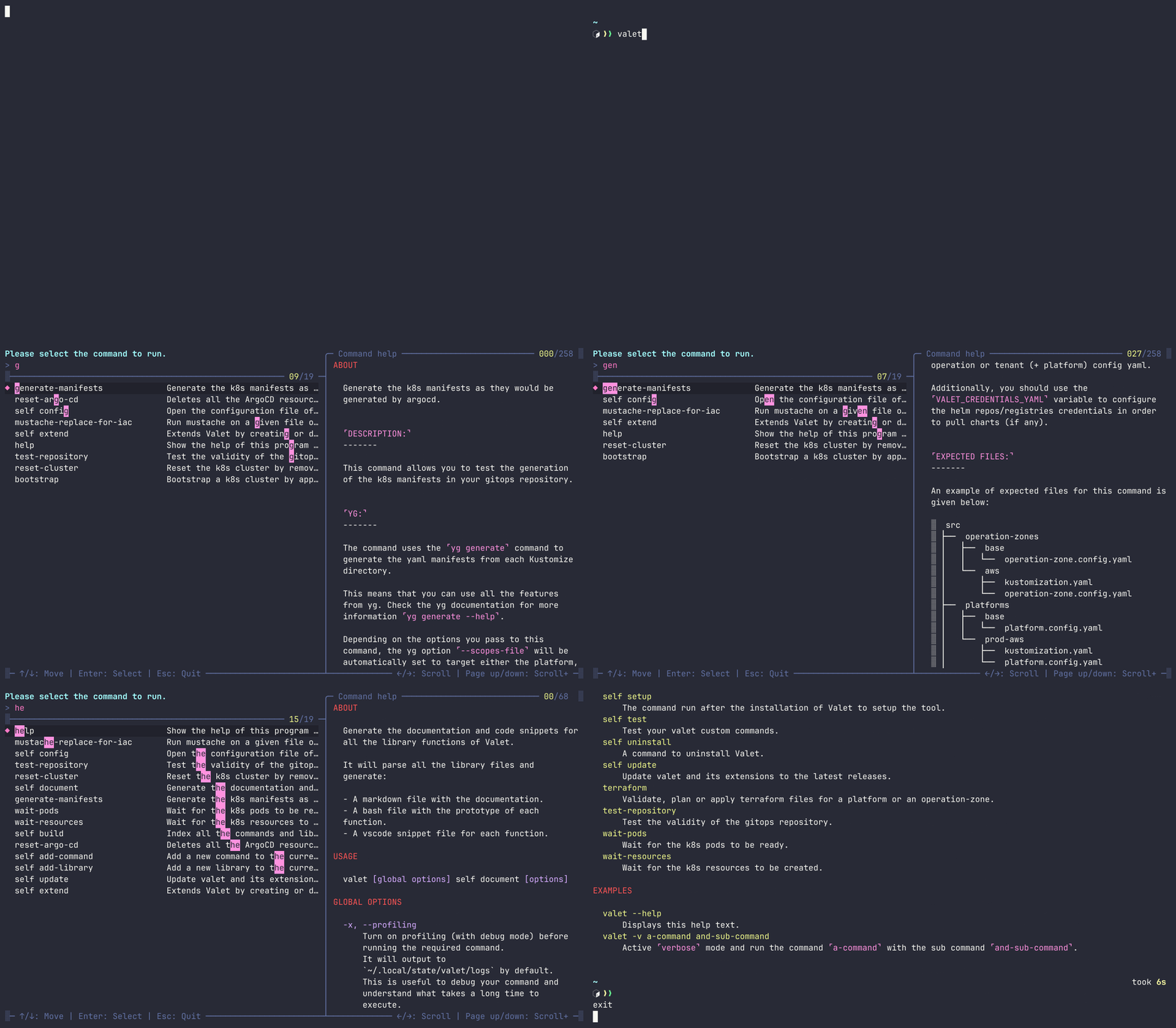
Calling valet without arguments lets you interactively search commands, read their documentation and execute them:
Create a command
Command properties are defined using a simple YAML syntax:
| |
Clear and standardized help
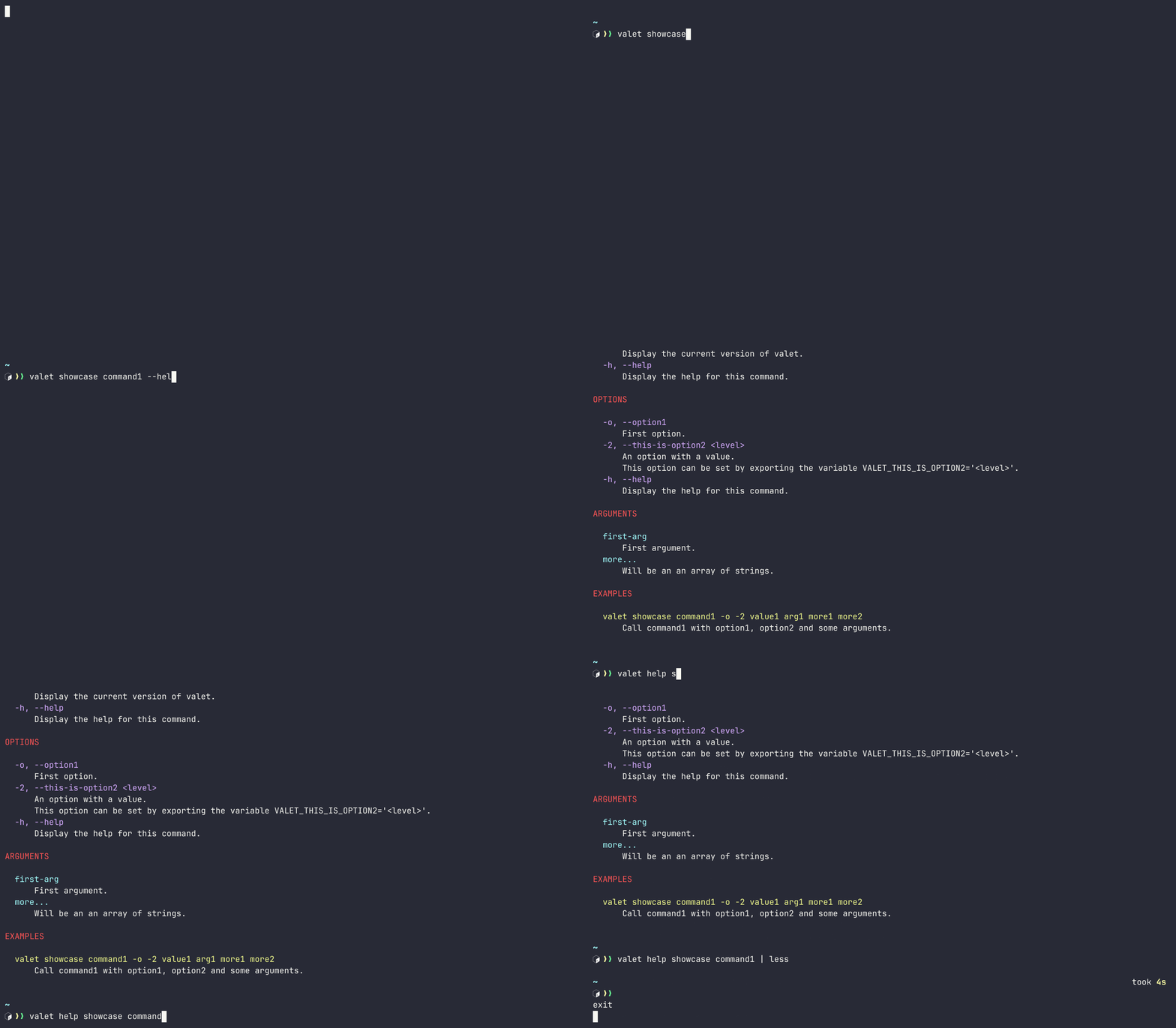
With valet command --help or valet help command, you get a beautifully formatted help for your command:
Automatic parsing of arguments and options
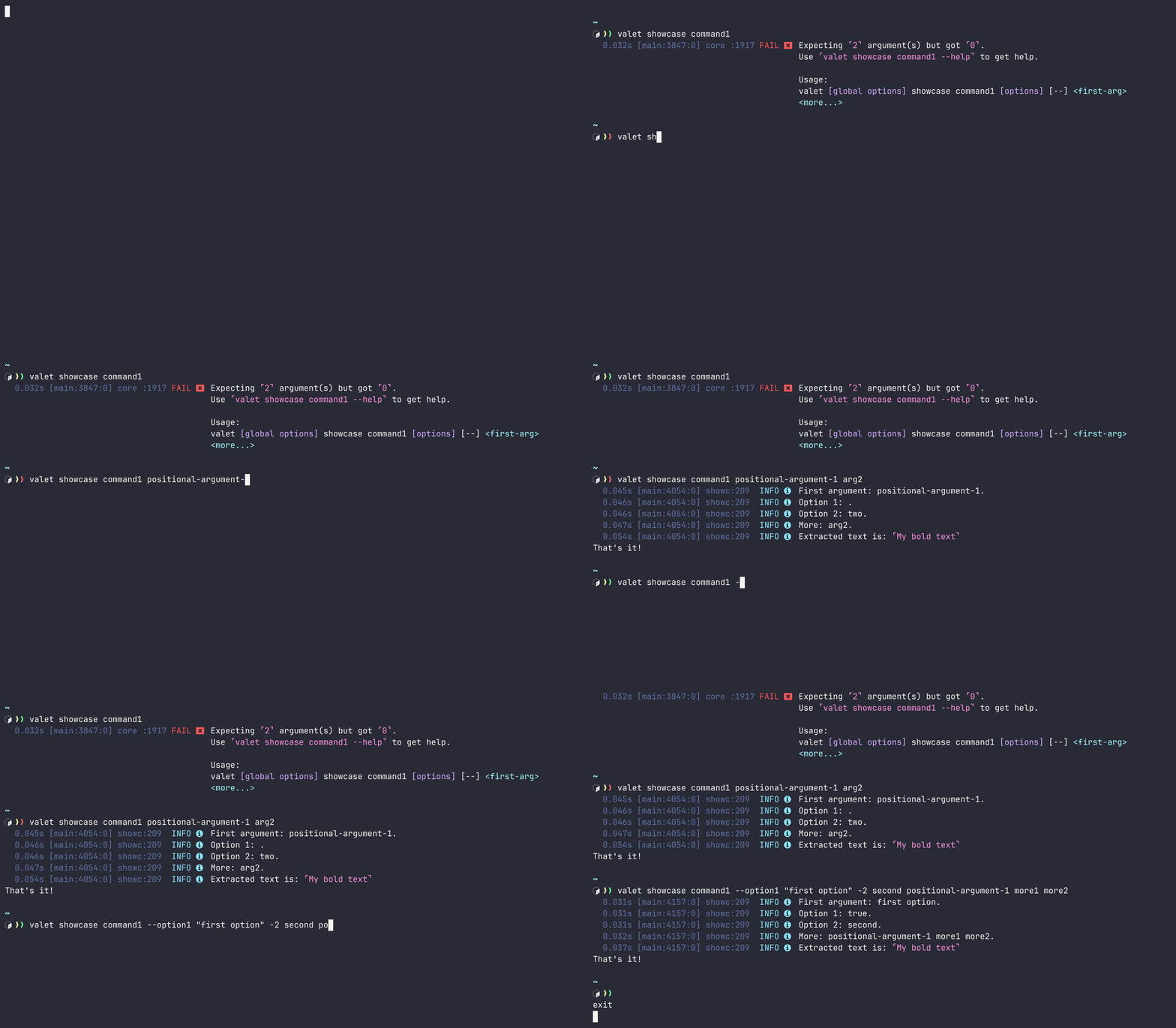
Positional arguments and options are automatically parsed by Valet based on your command definition.
They are made available as local variables in your command function.
See the command implementation
| |
Advanced logging
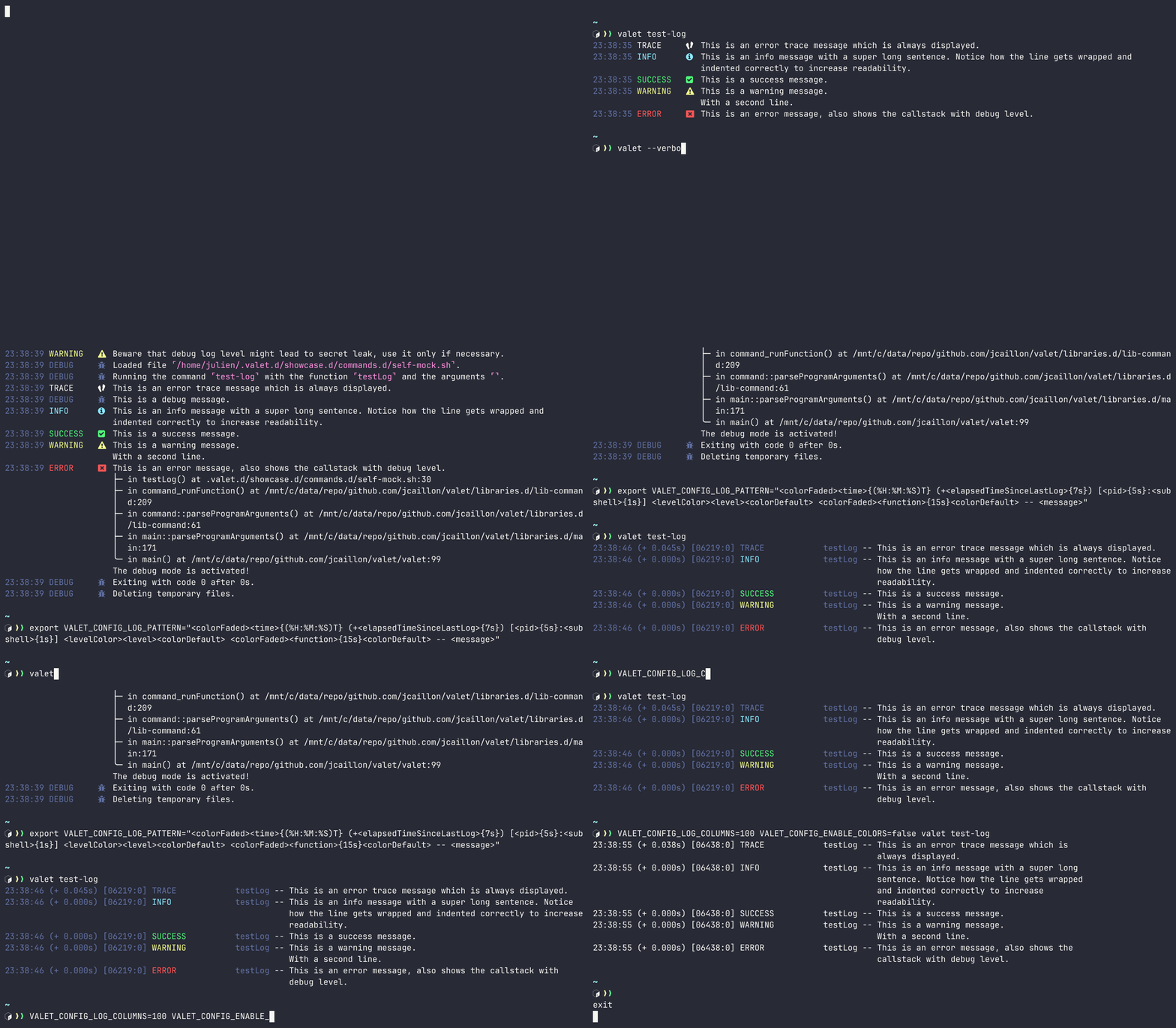
Easily log messages and customize their output on the fly.
See the command implementation
| |
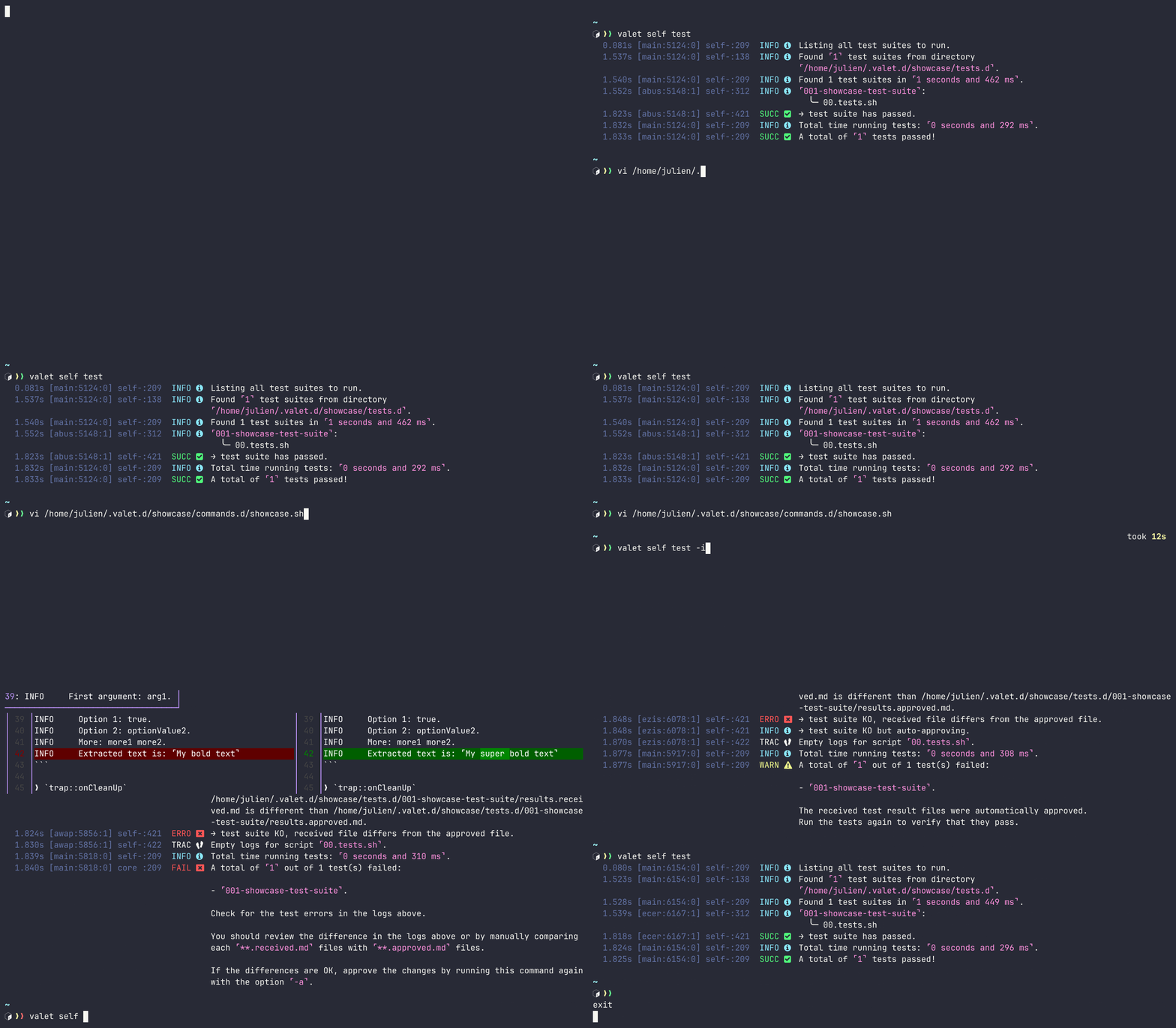
Test framework
Automate tests for your script using the approval tests approach for assertions:
Libraries of functions
Make your scripts more performant and write code faster by using Valet standard libraries for string manipulation, interactive prompt, pure bash I/O and more…
Use one of the 226 functions coming in standard with Valet! Some examples:
| |